
เรื่องจอง
ดูให้ชัดขึ้นSee your bookings
more clearly.
หน้าจองสำหรับลูกค้า และหน้าจัดการสำหรับคุณ เช็กงานวันนี้ ดูปฏิทิน แล้วเปิดรายงานเมื่ออยากเห็นภาพรวมA booking page for customers and a workspace for you. Review today's work, scan the calendar and open reports for the bigger picture.
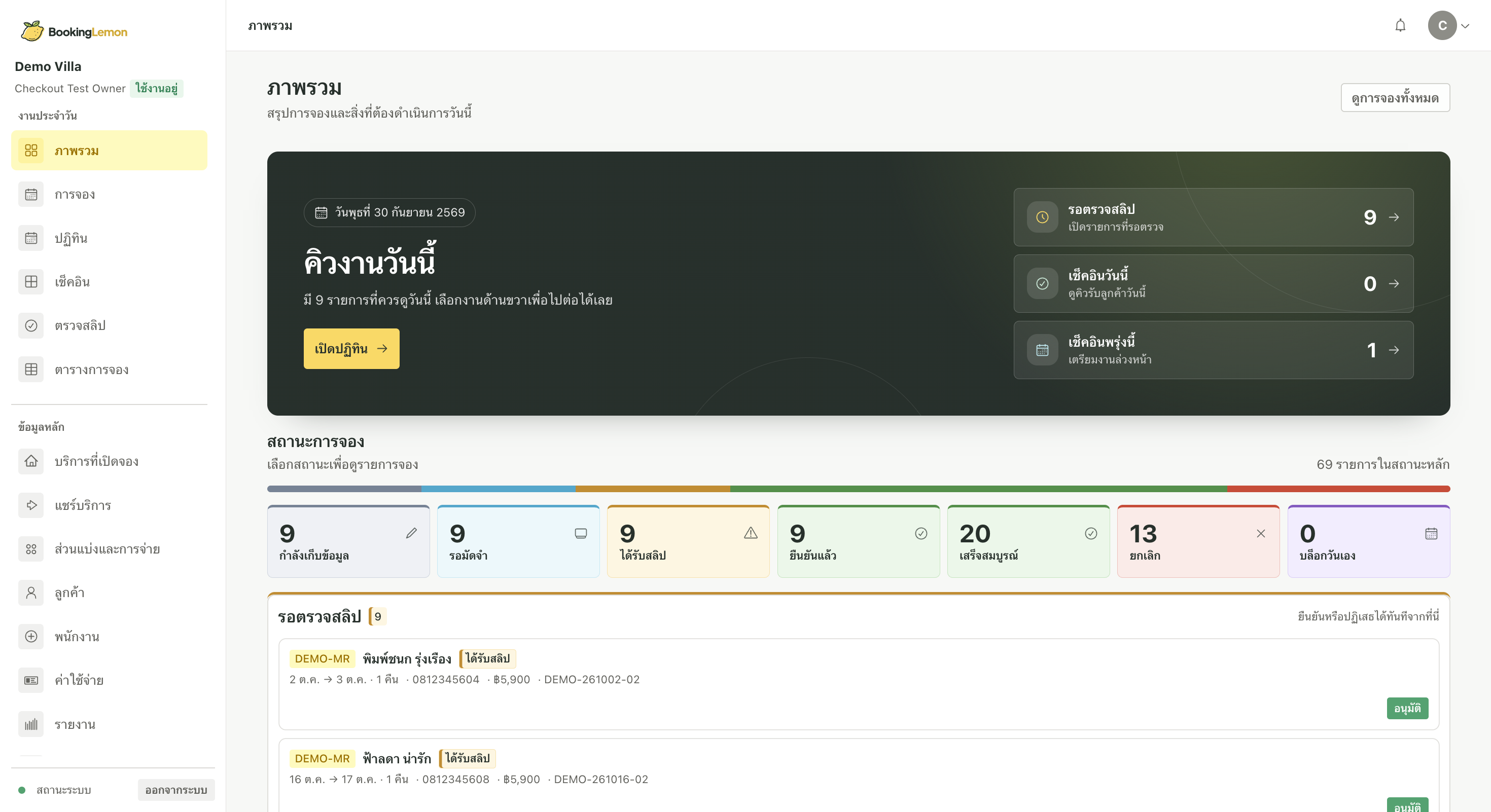
วันนี้ต้องดูอะไรบ้าง?What needs attention today?
ภาพรวมแสดงรายการที่รอตรวจสอบ ส่วนหน้าการจองช่วยเปิดดูรายละเอียดแต่ละรายการThe overview points to items awaiting review; reservations show the details behind each request.
วันไหนมีจอง?
เปิดปฏิทินดูWhich dates are booked?
Open the calendar.
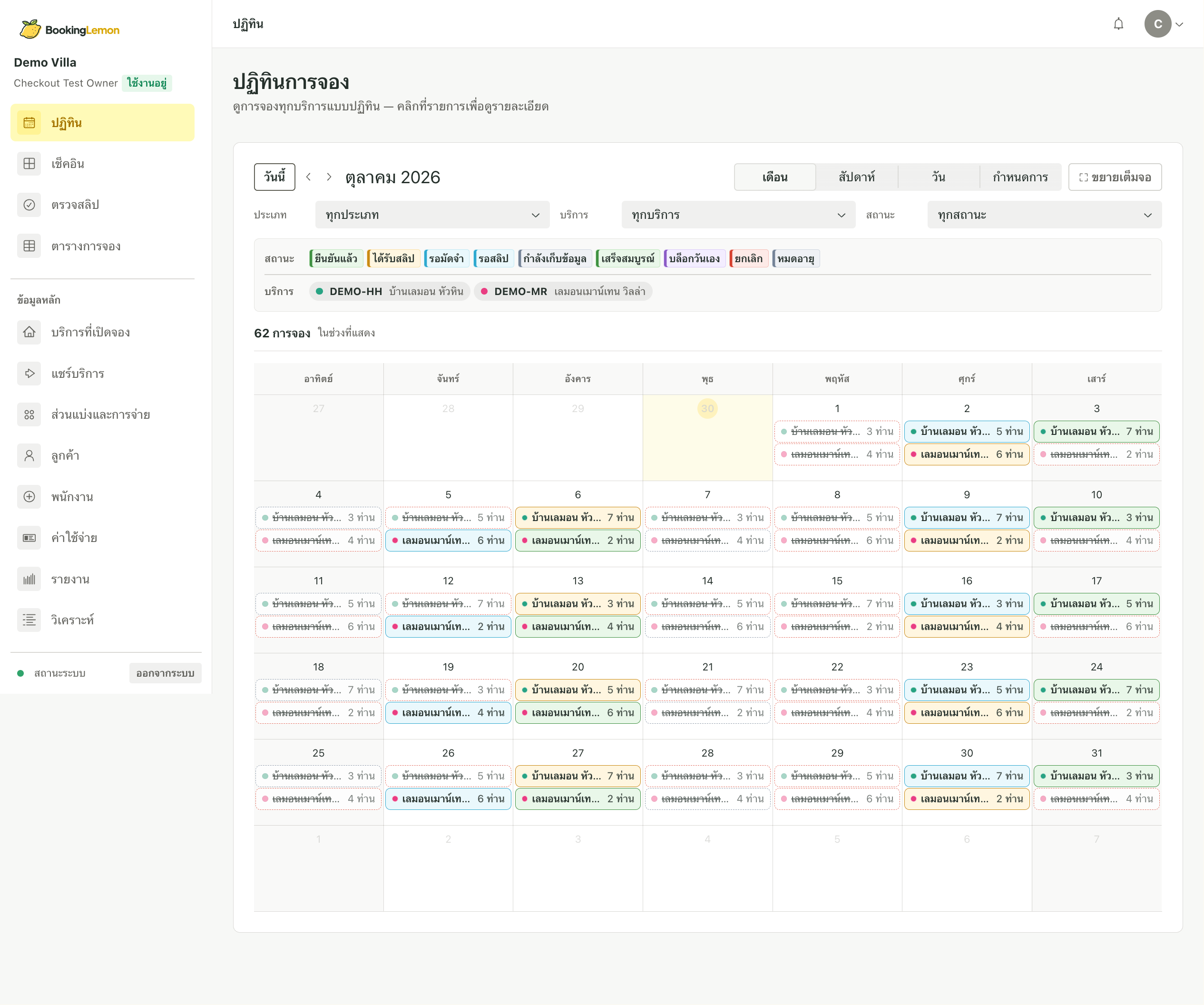
ดูรายการตามวันและสถานะในมุมเดียว เหมาะกับการวางแผนงานหน้าที่พักและตรวจสอบวันว่างSee requests by date and status in one view, useful for planning on-site work and checking availability.
เดือนนี้เป็นอย่างไร?
ดูตัวเลขที่บันทึกไว้How is this month going?
Review recorded figures.
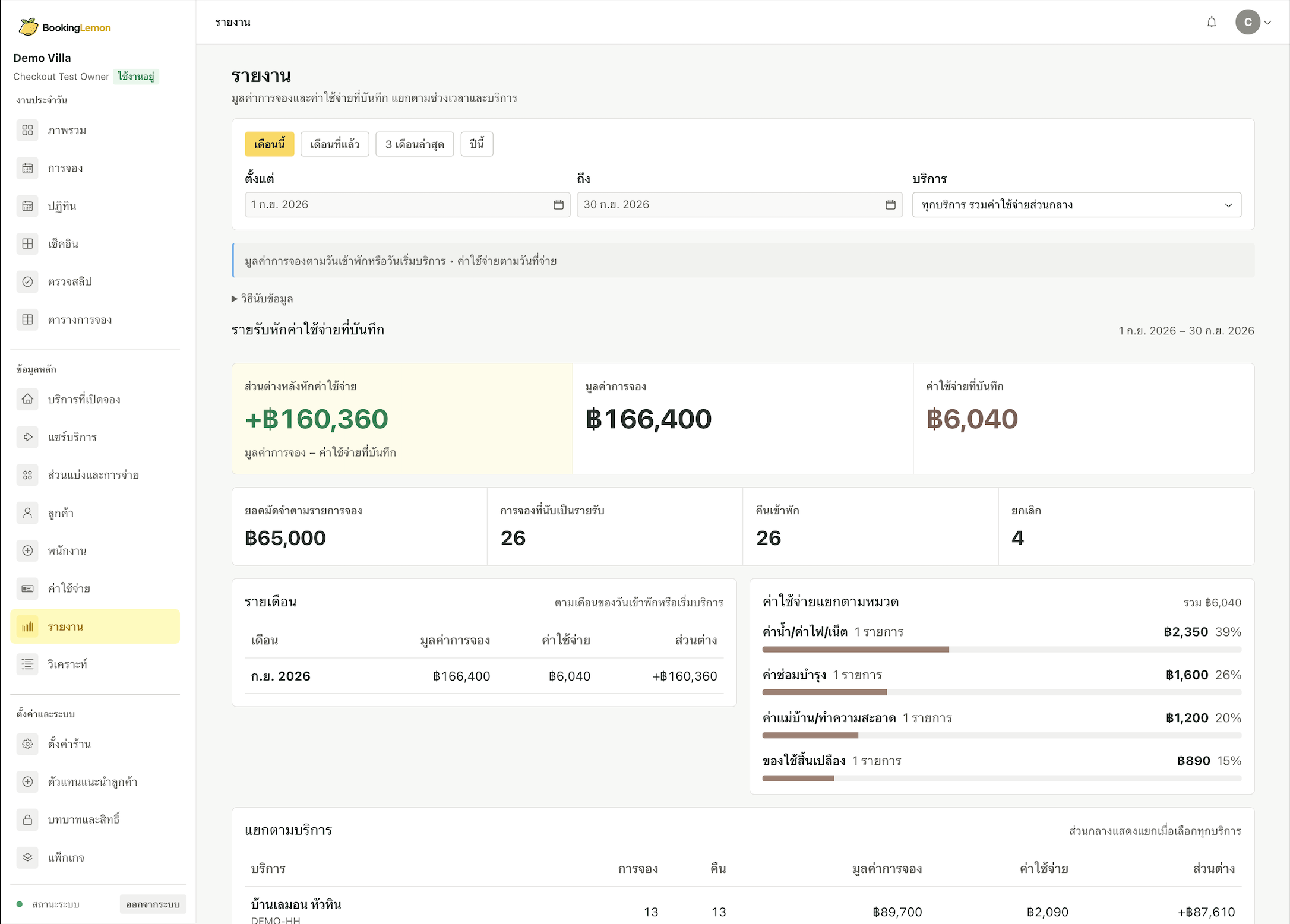
รายงานแสดงมูลค่าการจองและค่าใช้จ่ายที่บันทึก แยกตามช่วงเวลา เพื่อช่วยให้เห็นภาพก่อนตัดสินใจต่อReports bring recorded booking value and expenses together by period, giving you context for the next decision.
มูลค่าการจองไม่ใช่ยอดรับเงินจริงหรือกำไรสุทธิBooking value is not the same as cash received or net profit.
แล้วลูกค้าเห็นอะไร?What do customers see?
ลูกค้าเปิดหน้าบริการจากลิงก์ ดูรายละเอียด ราคา และเลือกวันได้ด้วยตัวเอง ลองดูจาก Demo VillaCustomers open your service page from a link, review details and prices, and choose dates. Explore the Demo Villa example.
เปิดหน้าจองตัวอย่างOpen the demo booking page